M
Maya · Design
Checked in 5:02 PM
Onboarding illustrations done. Tomorrow: empty states and the icon pass.
21Comments 2
Async check-ins for remote & hybrid teams
Everyone posts a 3-minute check-in — what they did, what's next, and how they're doing. You read the whole team on one screen and react in one tap, across time zones.
No credit card required·No install — runs in the browser·$5/user/mo · one plan
60sec
You talk
~8min
Typing the same report
$5/user/mo
One flat plan
14days
Free trial
One feed for the team
Check-ins land on one shared feed. Pick the sharing scope that fits — managers only, within the team, or the whole company — and the day stays visible across time zones.
Prefer a classic manager-only flow? Keep sharing off and nothing changes.
How it works
01
Tap the mic at the end of your day and talk for a minute — in your own words, from wherever you work.
02
AI fills your team's fields from what you said. You check it and hit submit — the report is always yours.
03
One screen shows everyone's day. Unread check-ins flip past in a tap, with reactions and @mentions.
For writers and readers
If reporting gets easier but nobody responds, people stop. Zen Daily Report makes writing and reading-and-reacting equally fast.
Your crew
Managers
Industry presets
Reports are built from blocks. Pick an industry preset and the fields your trade actually uses are already in place. Use the tabs below to preview the entry screen for each industry.
Today's report
Quick entryWhat I did today
Visited 3 new leads; Beta Inc moved to a quote request
Numbers
What I learned
Quotes sent before 10am get much faster replies
Blockers & questions
Not sure about the approval criteria for discounts — checking case-by-case is slow
Tomorrow's plan
Draft the Beta quote. Team meeting in the afternoon
Entry screen preview (actual preset fields)
What I did, numbers, what I learned, blockers, tomorrow's plan
Blocks like photo reports are preloaded only for the industries that need them.
Use cases
A day in the life beats a feature list. Here is when people post their check-in and how the team reads it — from remote teams to stores and field crews.
Remote & hybrid teams
No more morning sync that eats an hour across time zones. Everyone posts what they did, what's next and how they're doing — with a one-tap mood pulse. Managers scan the whole team's day in one screen and react where it matters. Unlike chat, it never scrolls away — and it stays searchable.
General / office
Before leaving, fill in what you did, what you learned and tomorrow's plan — blockers included. Managers read an unread-only feed and reply with a one-tap reaction or a comment.
Restaurants
After counting the drawer, the GM logs sales, covers and labor, taps through the QSC check, and notes complaints and whatever the next shift needs. Come morning, the owner starts from the numbers and the handoff — one manager log across every location.
Multi-location teams
Three stores, five crews, one owner. Each location closes its day with a check-in, and the whole operation lines up on one board — who filed, who didn't, and what happened where. No group-chat archaeology the next morning.
Field service
The job is done and the tech's hands are still full of tools. Walking back to the van, they talk through the work performed, parts and serials, and add before-and-after photos. The dispatcher closes and invoices without waiting for them to drive back to the office.
What you get
Industry templates give you the fields — just fill in today's work.
Attach multiple site photos — auto-compressed so they send even on weak connections.
Drafts save as you go. Get interrupted, pick up where you left off.
Members × business days — spot missing reports at a glance.
Reminders skip holidays, site closures and personal days off — only people who actually owe a report get nudged.
One-tap reactions plus comments and @mentions. Writers know they've been read.
Search across every report. Filter by period and member, and save your searches.
Numeric fields aggregate into charts automatically. Export CSV anytime.
One optional tap after submitting. Visible only to the member and admins.
Record start and end times as a one-tap field inside the report. Working hours total up automatically.
Draw lines and arrows directly on a submitted photo and reply in a comment. The original photo is kept as-is.
Ask specific members to acknowledge a new menu or a notice with one tap — and see who hasn't yet, at a glance.
Say it on the photo
No more back-and-forth explaining “which part do you mean?”. Draw lines and arrows straight onto a photo in the check-in and send it back with a comment — the paper-and-red-pen habit, kept.
AI assist (beta)
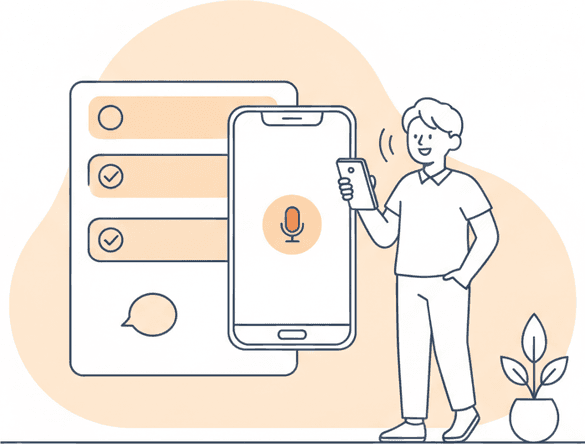
Spend a minute or two before you leave the site talking about your day. AI shapes it into your report's fields and only asks short follow-ups for what's missing. Managers get a summary of the day's submissions.
Your crew
Managers
AI assist is offered as a beta feature. All AI output is a draft and is never submitted or shared without your review.
Why “Zen”
In Japan, teams have closed every workday with a short written report — the nippō — for decades. It is how crews stay aligned, managers stay close to the work, and every day ends with the team on the same page.
Zen Daily Report is that discipline, rebuilt for how field work happens now: you say your day, and it becomes the record.
Crafted in Tokyo, Japan
Pricing
Zen Daily Report
$5/ userper month
Minimum 5 seats ($25/month)
There's no free tier. In exchange, there are no feature gates and no upsell tiers — one plan with everything in it.
Start 14-day free trialMinutes from sign-up to the first check-in. No credit card — every feature included.
Start 14-day free trial